
Step 1
Find your referral code in Profile
- Read the Referrals card
- The displayed code is a synthetic example
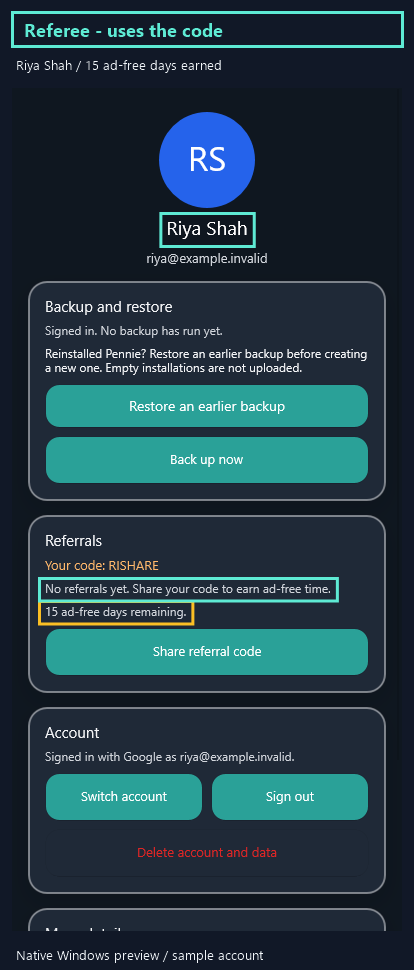
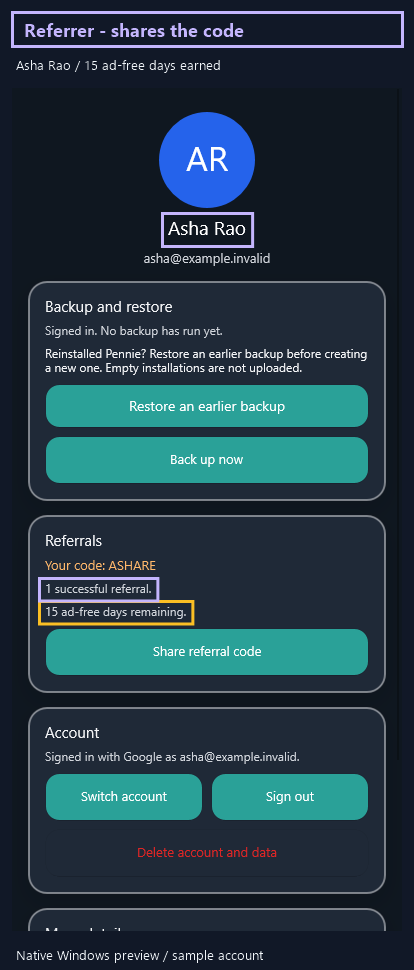
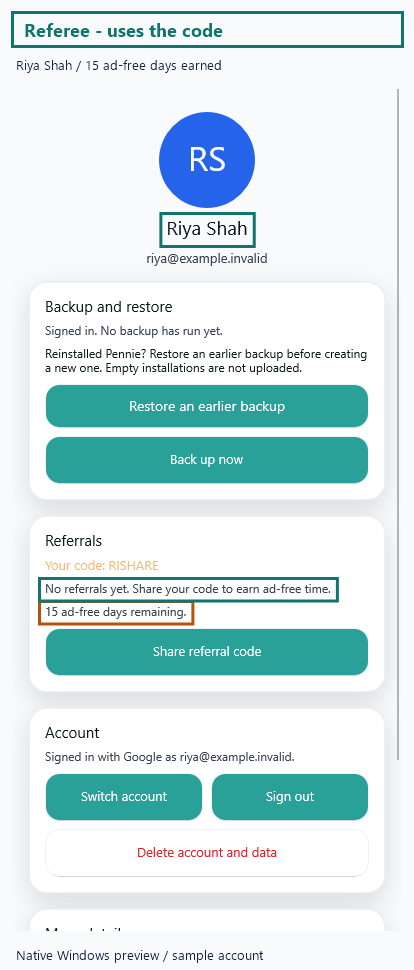
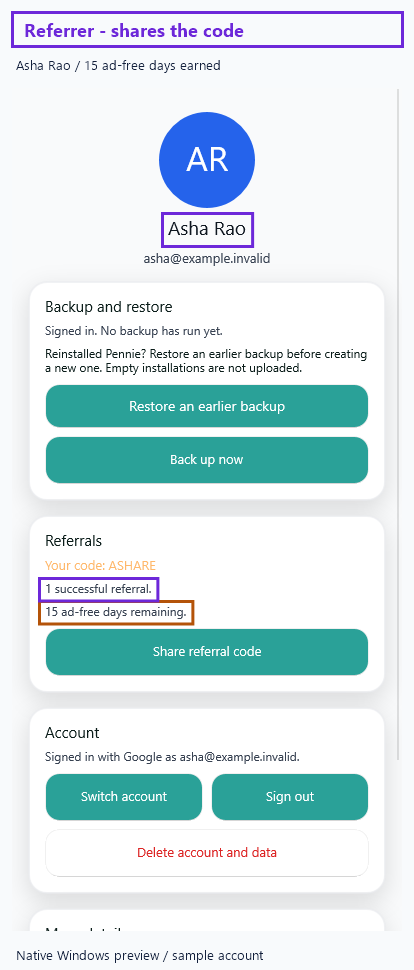
Open Profile and find the Referrals card.
Your code appears here. this worked example's sample code and reward balance are not your actual account.
Step 2
Share the code, not a promised reward
- Use Share referral code on your phone
- Choose a recipient in Android's share screen
Share referral code opens your phone's sharing options. Choose where you want to send it.
We stop at the entry point here. Sharing, or merely signing in, does not prove that a referral was credited.
Step 3
A credited referral gives 15 days each
- Successful redemption is the reward event
- Both sides receive the base reward
A successfully credited referral gives your friend fifteen ad-free days and adds fifteen days for you.
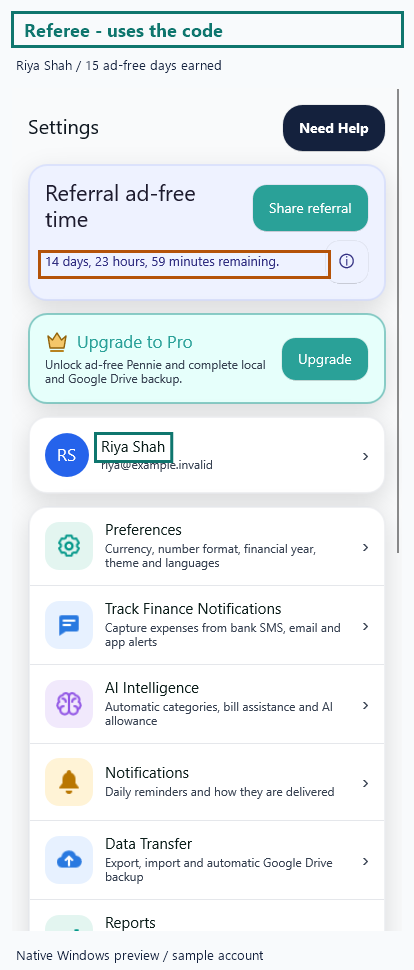
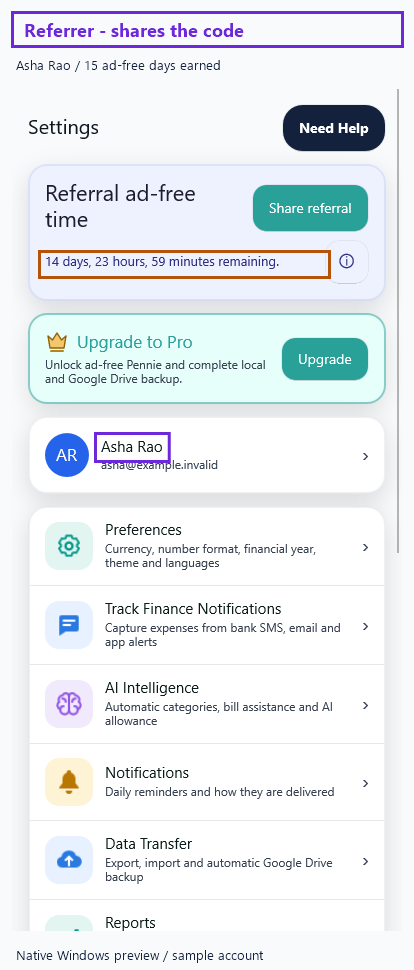
The highlighted examples show Riya as the referee (the person using the code) and Asha as the referrer (the person sharing it) after one successful referral. They are sample accounts, not a live redemption demonstration.
Profile counts invitations made by that account. The referee can see "No referrals yet" while their fifteen ad-free days are already active.
Step 4
Every second referral adds a bonus
- Each successful referral adds 15 days
- Every two adds another 15 days for you
For every two successful referrals, you receive another fifteen bonus days.
Two referrals therefore add thirty base days plus fifteen bonus days for the referrer.
Step 5
Read the remaining time in Settings
- Find Referral ad-free time
- Read the duration, not a paid-plan badge
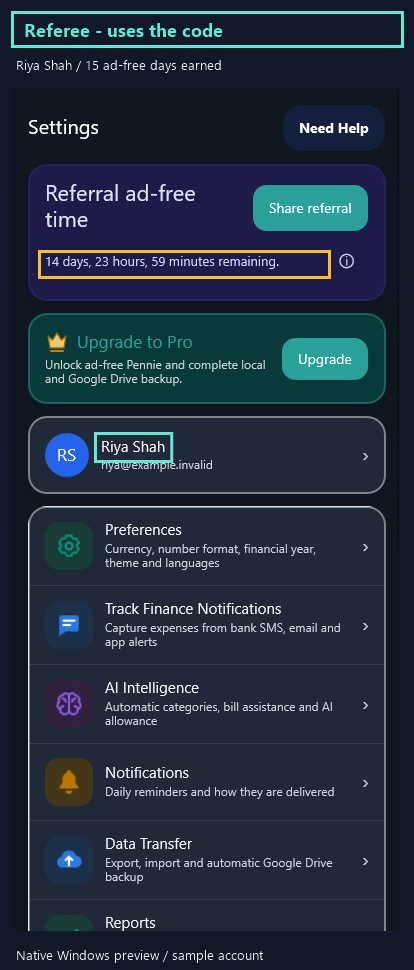
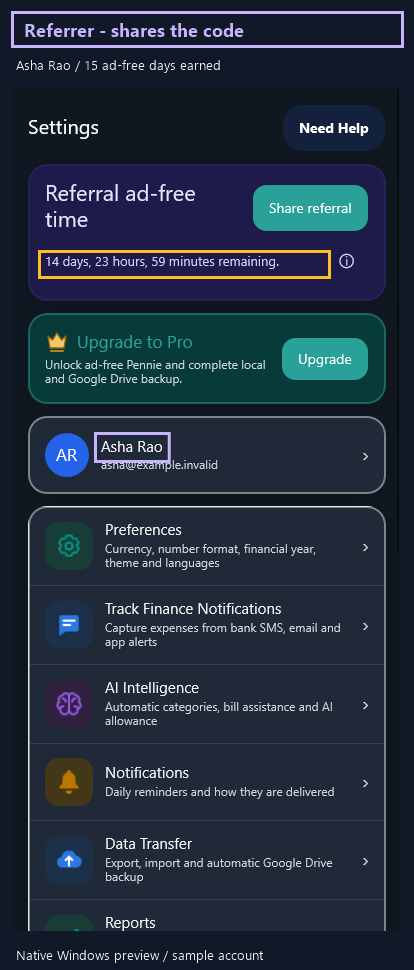
Settings shows the remaining ad-free duration for this account.
Profile rounds partial days up. The Settings banner gives a more detailed remaining duration.
Step 6
The information button shows exact expiry
- Read remaining duration and Expiry
- These dates belong to the synthetic example
Open the banner's information button to read the remaining duration and exact local expiry.
New rewards stack from the existing expiry, or from now when the previous window has ended.
Step 7
Ad-free rewards are not paid Premium
- Network-ad removal is the reward
- Paid features and AI remain separate
Referral time removes network ads. It does not unlock regular Premium, AI Premium or backup features.
Do not mistake the ad-free banner for a purchase or an extra cloud AI allowance.
Step 8
Check the code, count and expiry
- Dismiss the information message
- Recheck your own refreshed account status
Close the information message when you have read the reward rules.
On your own account, check the code, credited count and refreshed expiry rather than this worked example's sample values.